
Oftentimes, members ask us partner recommendations such as "who are the most successful IT recruiters?" or "who places Nurses?". The easiest way to find successful NPA partners in your niche is by using Marketplace to search Splits that have been made. Read on to find out how!
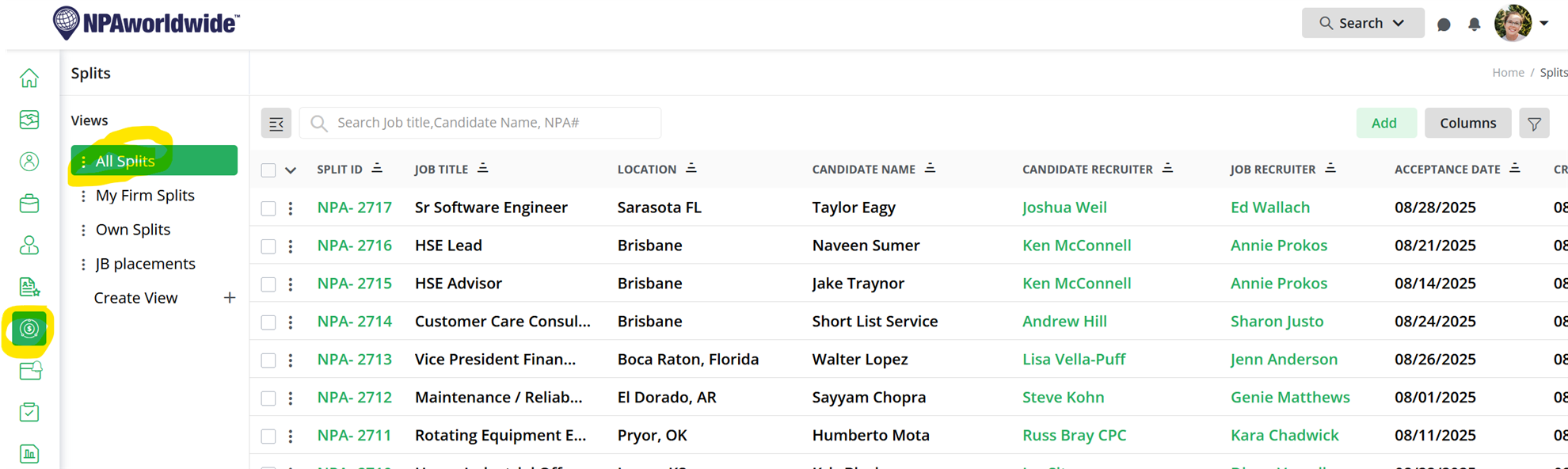
On the Marketplace dashboard, the 7th icon down (looks like a money sign in 2 circles) will show you All Splits:
If you click the Filter icon on the top right (looks like a funnel), you will be able to search splits by any field on the Split Report - industry, NPA #, location, etc. 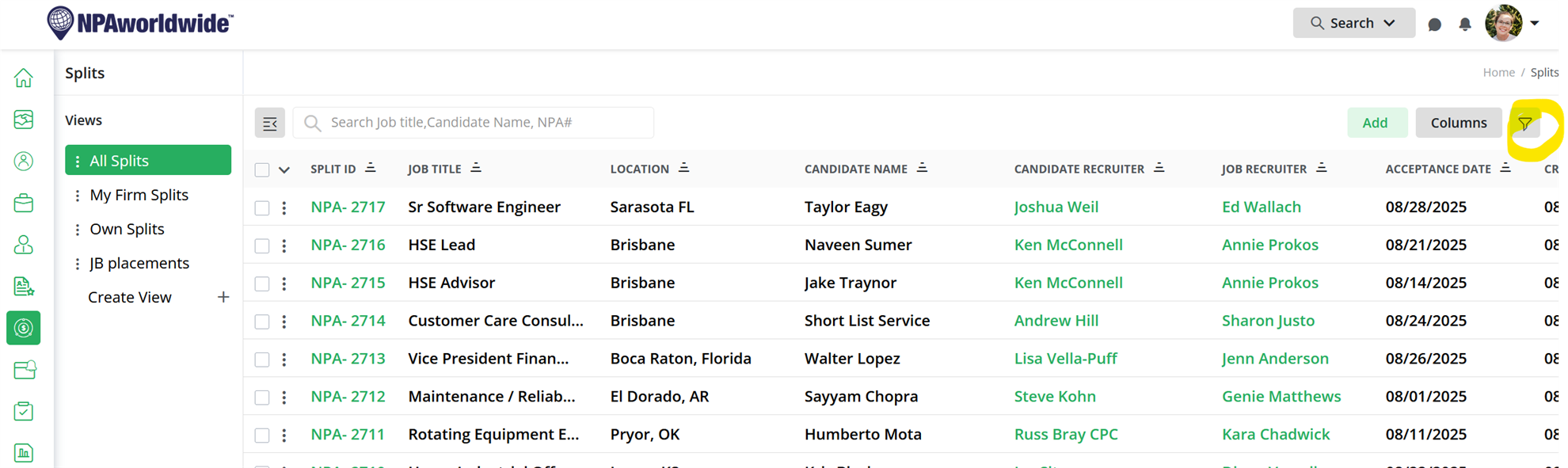
So, for example, if you are looking to see all the IT splits, you might select Field: Industry, Condition: Includes any, Value: Information Technology and Telecommunications:
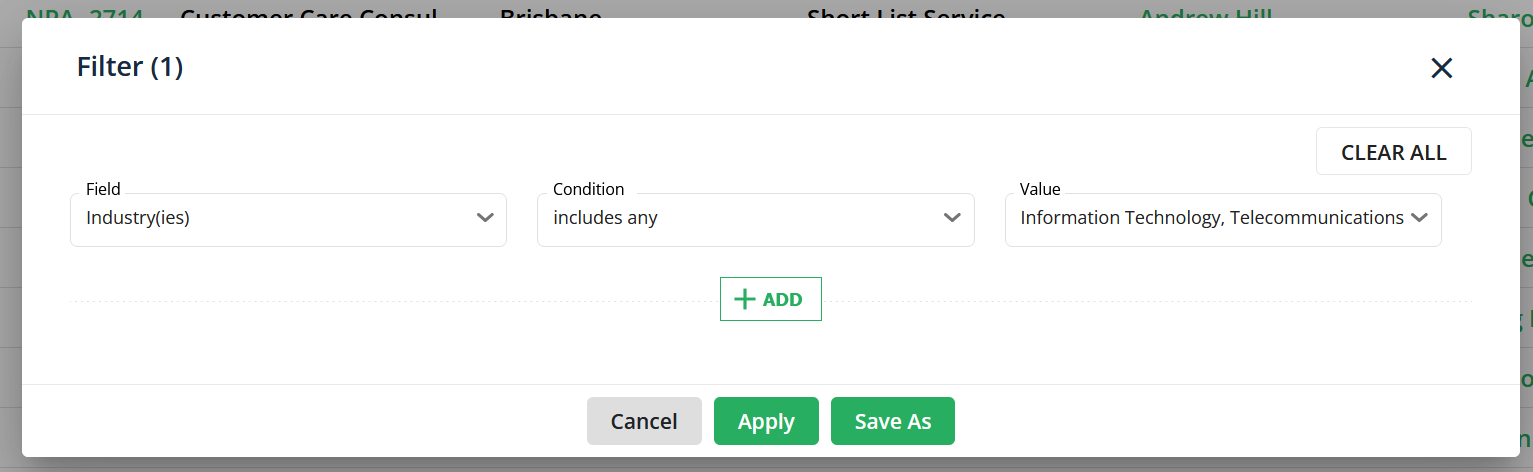
Then click 'Apply' to see those splits:

If you see a Job Recruiter who has made multiple splits in your niche, you might want to reach out to them to see if they have any open positions they need help with!
If you are looking for who has placed a specific job title (for example, you have an HSE candidate and you want to know who to send them to), you can search Job Title at the top search bar:

Keep in mind that the job title search bar searches for that exact match, so you may have to search a couple different ways (for example, if you are searching for nurses, search Nurse, RN, NP....) to get the most accurate results.
Searching the Splits database in Marketplace is a great way to see real-time success in your niche, location, or by specific partners. It is one of the ways the engagement team suggests finding new partners to work with!