If you've never noticed it before, there is an easy way to sort through articles on NPA Central to find what you are looking for:
- Go to https://members.npaworldwide.com/Stories OR click the News & Headlines button under your profile photo on the dashboard
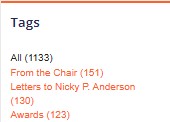
- Scroll through the Tags menu on the right side of the screen and click on the topic area you are interested in. Tags are listed in order of most-used to least-used, and you'll see a number in parentheses at the end of the tag to indicate the number of articles in that tag.